Best CCTV camera buying guide
How to Choose the Right CCTV Camera for Your Home or Shop
Category: Buying Guides | Estimated read time: 4 minutes
With so many CCTV options available today, picking the right one can feel overwhelming. This guide breaks down exactly what to look for, so you spend your money on features that actually matter for real-world homes, shops, and compounds — not just spec sheets.
1. Indoor vs Outdoor Use
The first decision is where the camera will live:
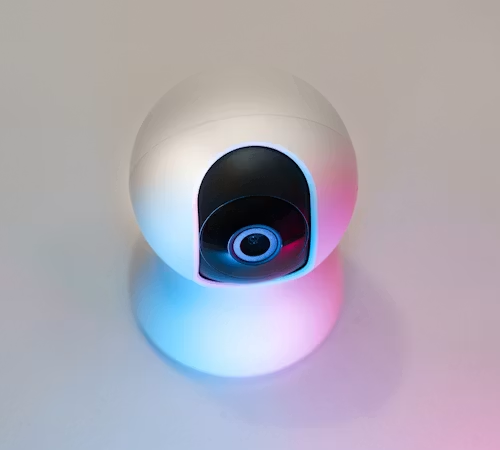
- Indoor cameras are cheaper and often have better image quality for the price, but aren’t built to withstand rain, dust, or heat.
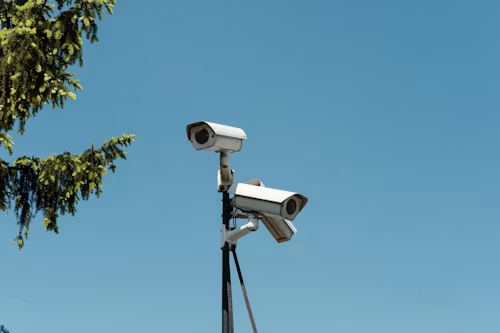
- Outdoor cameras are weatherproof (look for an IP65 or IP66 rating) and built to handle seasonal rain and dust — essential for gates, compounds, and shop fronts.
If you’re covering both, it’s worth buying dedicated cameras for each rather than trying to make one type do both jobs.
2. WiFi vs 4G Connectivity
- WiFi cameras are ideal if you already have a stable home or office internet connection.
- 4G SIM cameras are a better fit for locations with poor WiFi coverage, or for monitoring a second property (like a shop or rental) where you don’t want to rely on someone else’s internet.
Some cameras, like our dual-lens outdoor models, support both — giving you flexibility if your internet situation changes.
3. Resolution: Don’t Overspend, But Don’t Go Too Low
For most home and shop use, 1080p (Full HD) is the sweet spot — clear enough to identify faces and license plates without unnecessarily large storage needs. 4K cameras exist, but unless you need to zoom into fine detail after the fact, you’re often paying extra for resolution you won’t use.
4. Night Vision Quality
Almost every camera claims “night vision,” but quality varies a lot. Look for:
- Infrared (IR) night vision — standard black-and-white night footage, reliable and affordable
- Color night vision — uses a small spotlight or advanced sensor to show color even in low light, useful for identifying clothing or vehicle color, but usually pricier
For most compounds and shops, standard IR night vision is sufficient.
5. Storage: SD Card vs Cloud
- MicroSD card storage keeps footage on the camera itself — no subscription needed, and it works even if your internet goes down. The tradeoff is that if the camera is stolen or damaged, you lose the card too.
- Cloud storage keeps footage safe off-site, but usually comes with a monthly or yearly fee, and depends on stable internet to upload continuously.
Many buyers prefer a large-capacity SD card (64GB–128GB) as the simplest, most cost-effective option, especially where internet uptime can’t be guaranteed.
6. Power Reliability
This is often overlooked, but critical: check whether the camera can run on a power bank, solar setup, or small backup power source during outages. A camera that goes offline every time the power supply is interrupted isn’t doing its job when you need it most.
7. Ease of Setup
If you’re not hiring a technician, look for cameras with simple app-based setup (scan a QR code, connect to WiFi, done) rather than ones requiring complex network configuration.
Our Recommendation
For most home and small shop owners just getting started, an outdoor, WiFi + 4G dual-connectivity camera with 1080p resolution, IR night vision, and SD card storage offers the best balance of reliability, cost, and ease of use — without paying for features you won’t need.
Browse our current CCTV lineup, or message us on WhatsApp and tell us your space (shop, gate, compound size) — we’ll recommend the right fit.
Questions before you buy? Contact Techgo Limited via WhatsApp: +234 901 811 6667 or email hello@techgo.limited